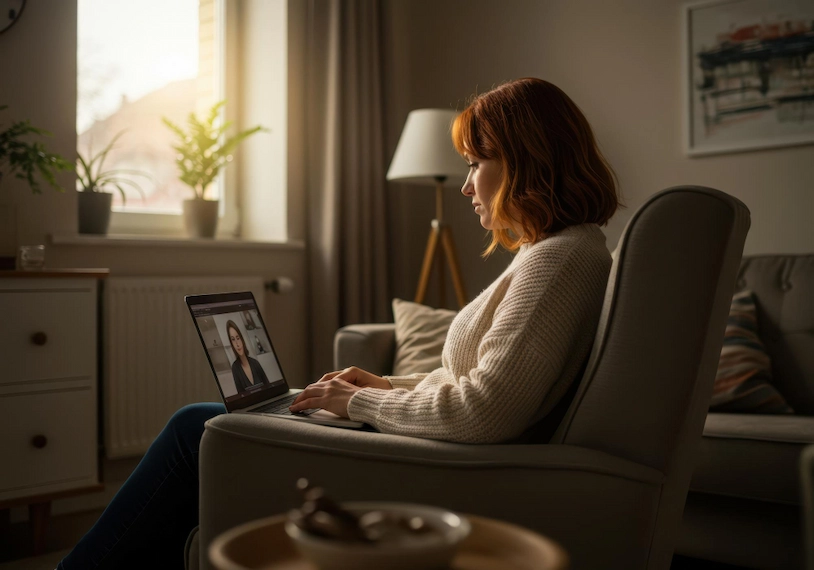
Online therapy is a popular alternative to traditional face-to-face therapy. It offers many advantages, including significant time savings, greater flexibility, convenience, and reduced transportation and parking costs. To get the most out of your therapeutic experience, it is important to prepare both your environment and yourself properly. Good preparation allows you to focus on the therapy itself, rather than dealing with technical issues or discomfort. That is why I prepared this article, to address the key questions: how to prepare for online therapy, what to check in advance, and what to pay attention to.
Creating a comfortable and supportive physical environment
Your chair is where you will spend the entire therapy session, so it is very important to choose a comfortable and supportive chair that allows you to sit upright and relaxed. An uncomfortable chair can distract you from the therapy and may even cause back or neck pain. Choose a chair that supports your spine and helps you feel stable. Ideally, select a chair you can comfortably sink into, or even an armchair or sofa, similar to what is often found in a therapy clinic.
The computer or phone should be positioned at eye level, so you can look at the screen comfortably without tilting your head. Try to place the device about 60 cm from your face to allow for natural eye contact. Proper lighting is just as important – make sure the light source is in front of you rather than behind you, so the therapist can see you clearly.
Ensuring full privacy during the session
Choose a quiet, private room where you will not be interrupted by family members, roommates, or pets. If full isolation is not possible, use good-quality headphones to ensure that only you hear the conversation. Headphones with a built-in microphone can also improve sound quality for the therapist. Let others in your household know the time of your session and ask them not to interrupt. If needed, hang a sign on the door or lock it.
It is strongly recommended not to conduct therapy sessions in public places such as cafes, both due to lack of privacy and background noise. Clients who have difficulty finding a quiet and private space sometimes choose to attend online therapy from their car, or even rent a private room for an hour once a week. Such rooms can often be rented in shared clinic spaces.
Checking your internet connection and preparing the therapy platform
A stable and fast internet connection is a basic requirement for a successful therapy session. Before the session, check the quality and speed of your internet connection. If you are using Wi-Fi, try to be close to the router or connect directly to it to avoid signal drops or disconnections. In the hours leading up to the session, avoid heavy internet usage on your home network. If you have concerns about connection quality, test it in advance using online speed testing tools.
A slow or unstable connection can cause interruptions, poor video quality, and frustration that negatively affects the overall therapeutic experience. Today, the minimum recommended bandwidth for a basic video call is usually between 1-3 Mbps upload and download. For a smoother video call, or sessions with more than one participant, 3-8 Mbps upload and download is preferable. You can check your internet speed by searching for “upload and download speed” online.
Updating software and checking your device
Before each session, make sure the software you will be using for the call, such as Zoom, is updated to the latest version. Updates are important not only for data security, but also for optimal performance and call stability. Preparing in advance will save valuable session time and prevent delays caused by downloads or installations during the meeting.
Before your first online therapy session, especially if you do not regularly use video calls, check that your camera and microphone are working properly. Do a test call with a friend or family member, or use a built-in testing tool. Make sure the volume is set correctly and that you can hear and be heard clearly. If you are using a phone or tablet, ensure that the battery is fully charged or that the device is plugged in, to avoid sudden shutdowns during the session.
Preparing supportive materials and personal comfort
Bring a glass of water to the session, especially if it is long or if you tend to feel thirsty during emotionally intense conversations. Water can help you stay focused and comfortable. Keep tissues or paper towels within reach – therapy sessions can be emotional, and crying is a natural part of the process. Being prepared will prevent you from having to leave the screen during an important moment.
A notebook or paper and pen can also be useful for writing down insights or tasks the therapist suggests.
Creating a calm and personalized atmosphere
Before the session begins, take a few minutes to create an atmosphere that helps you feel calm and focused. It is very important to fully set aside the time for the session and avoid multitasking, such as putting a cake in the oven that needs checking during the call. To reduce external stressors, turn off notifications and ringtones on all devices.
Check the room temperature and make sure you are neither too cold nor too warm. Tidy up the space around you and avoid clutter near your seating area – a clean and orderly background helps both you and the therapist stay focused. Anything that helps you feel comfortable during a therapeutic conversation is welcome, including lighting a candle or using a subtle, pleasant scent in the room, as long as it is not too strong or distracting. Prepare comfortable clothing or a light blanket in case it helps you feel more grounded and secure during the session.